Appliance Aid takes part in the Amazon Associates programme. Some links on this page are affiliate links, and a qualifying purchase earns us a commission. Your price is unchanged.
🏆 RECOMMENDED PART
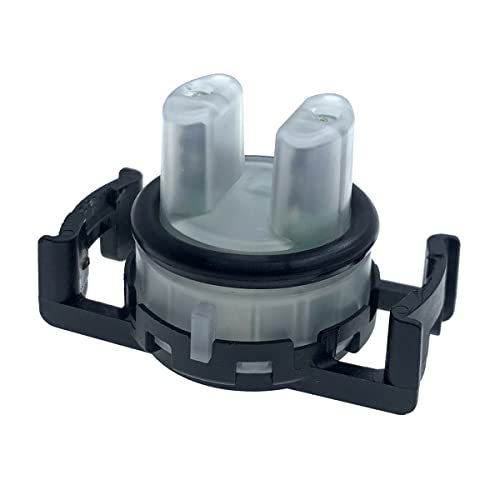
DD32-00003A Dishwasher Replacement Parts Turbidity Sensor for Samsung DW80R5061US DW80K5050US
- GENUINE: From Genuine OEM Replacement Parts
- COMPATIBILITY: For Samsung Dishwasher
- PARTS NO.:DD32-00003A
What the DD32-00003A does
The turbidity sensor detects the cloudiness or dirtiness of the wash water. This information helps the dishwasher determine the necessary wash cycle length and water changes for optimal cleaning.
Symptoms when this part fails
- Dishes remain dirty after a cycle
- Wash cycles are unusually long
- Dishwasher stops unexpectedly
- Specific error codes display
- Water does not drain completely
Compatibility
Fits the Samsung family. Specifically:
- Any unit originally equipped with OEM part number(s): DD32-00003A.
- Check the model/rating plate inside your appliance and compare it against the fitment table on the product listing before ordering — this guide does not list specific compatible models because Amazon does not provide verified fitment data through this pipeline.
Tools you'll need
- Screwdrivers
- Pliers
- Towels
- Gloves
Difficulty: Moderate · Time: 30-60 minutes
How to install the DD32-00003A, step by step
- Disconnect power to the dishwasher.
- Turn off the water supply valve.
- Remove the lower dish rack.
- Locate and access the turbidity sensor in the sump area.
- Disconnect the wiring harness from the old sensor.
- Release and remove the old turbidity sensor.
- Install the new turbidity sensor and reattach the wiring.
- Reassemble components, restore power and water, then test.
Related troubleshooting
If swapping this part doesn't fix the issue, check these next: